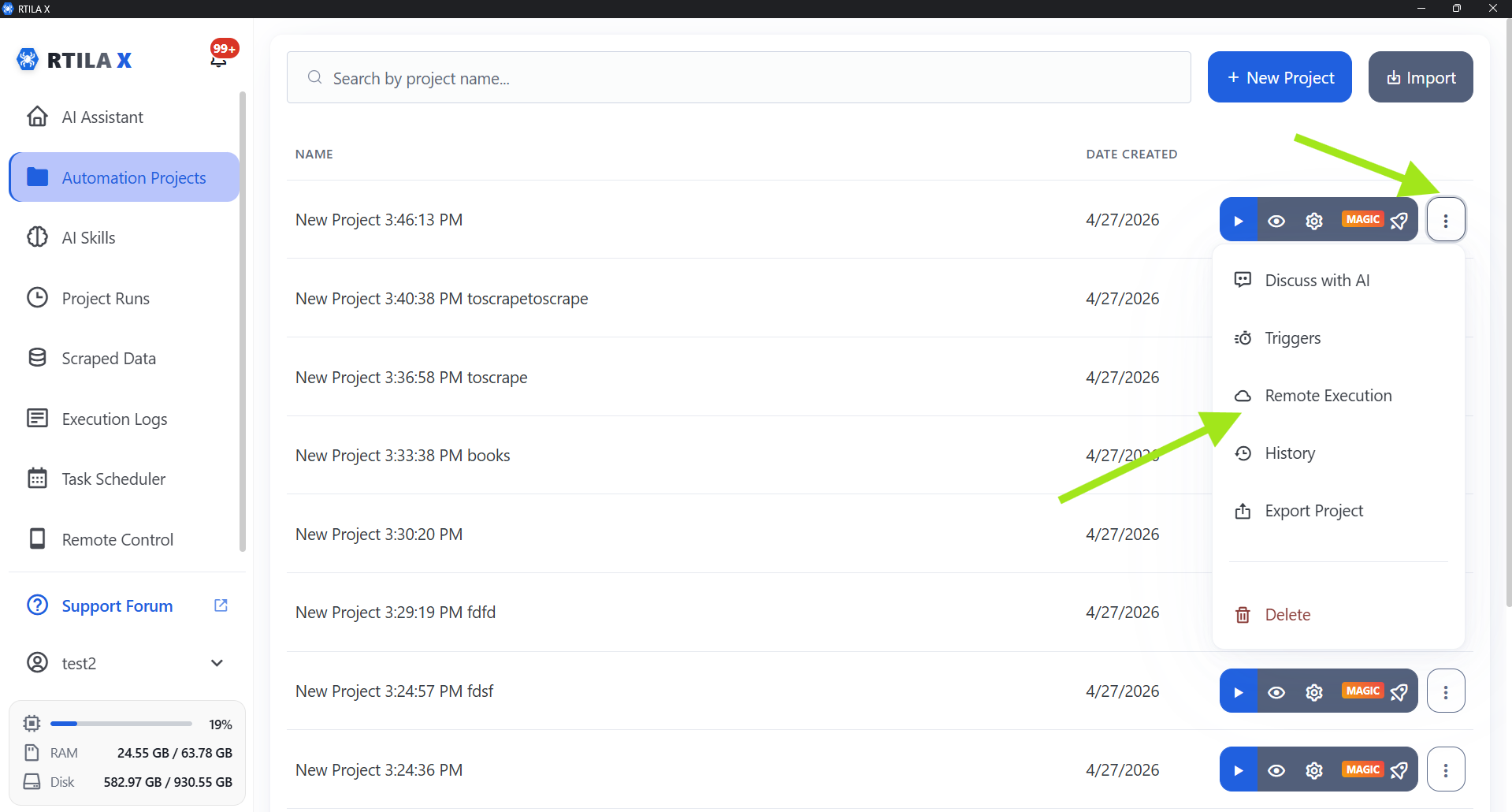
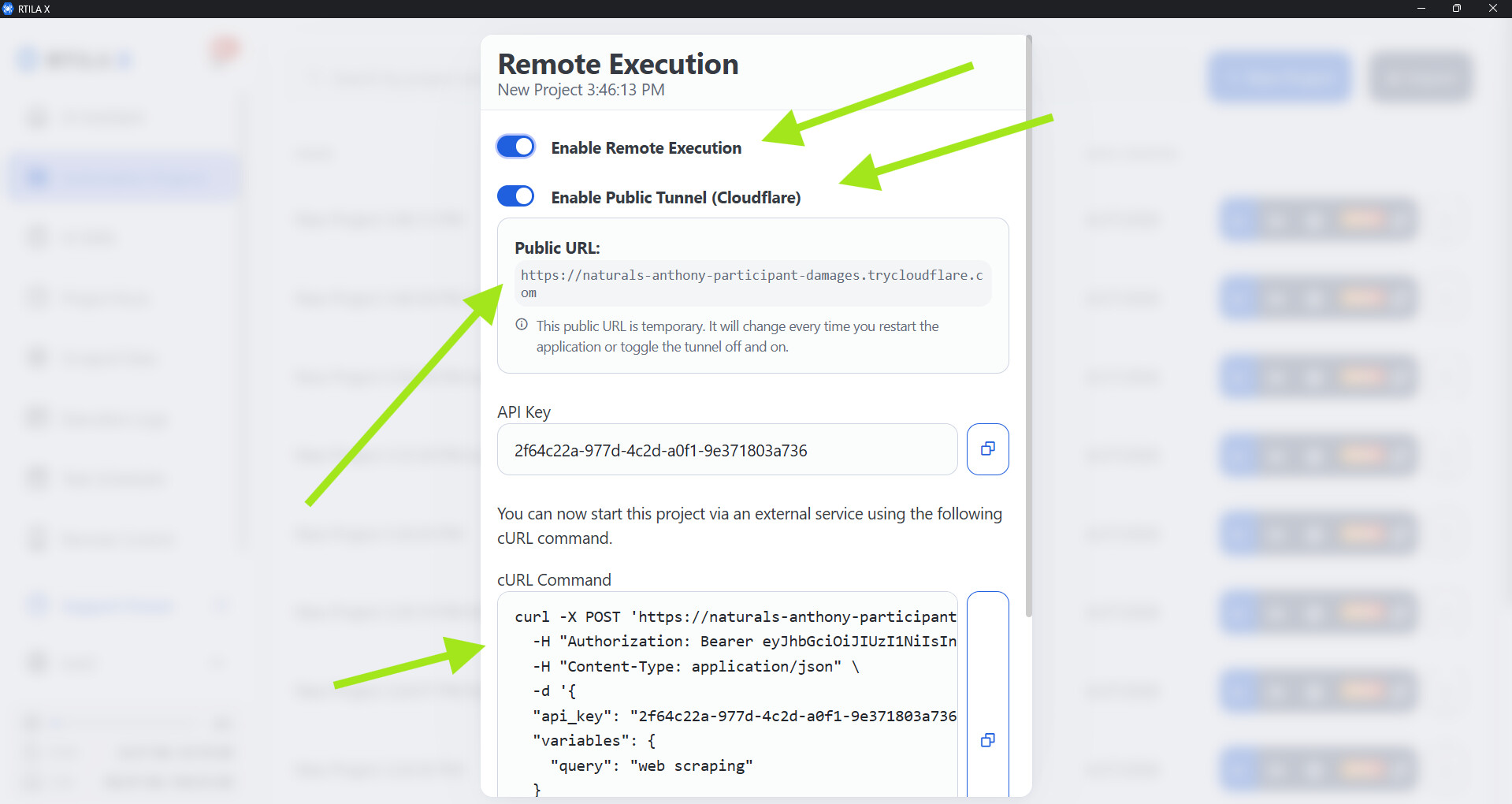
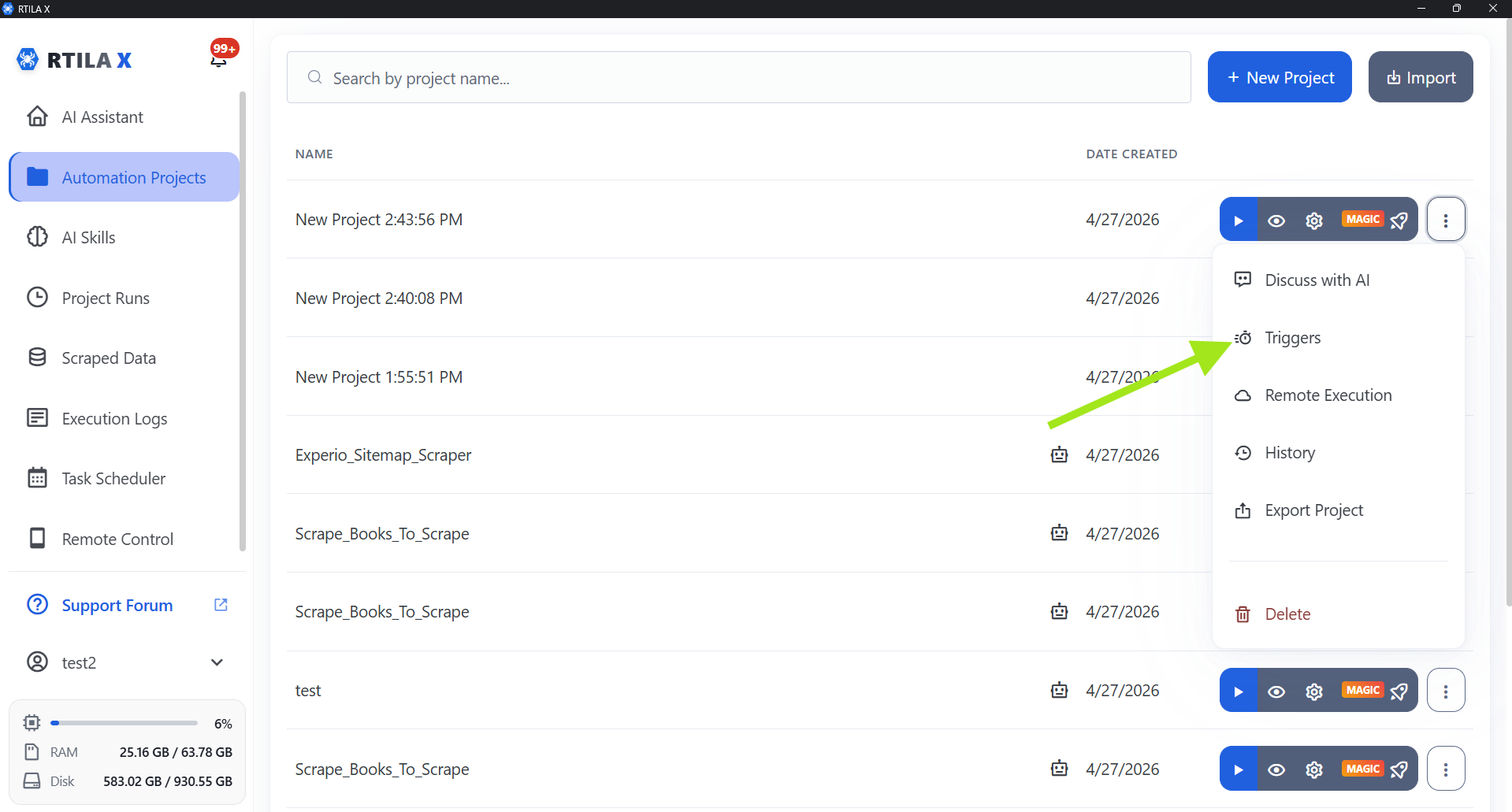
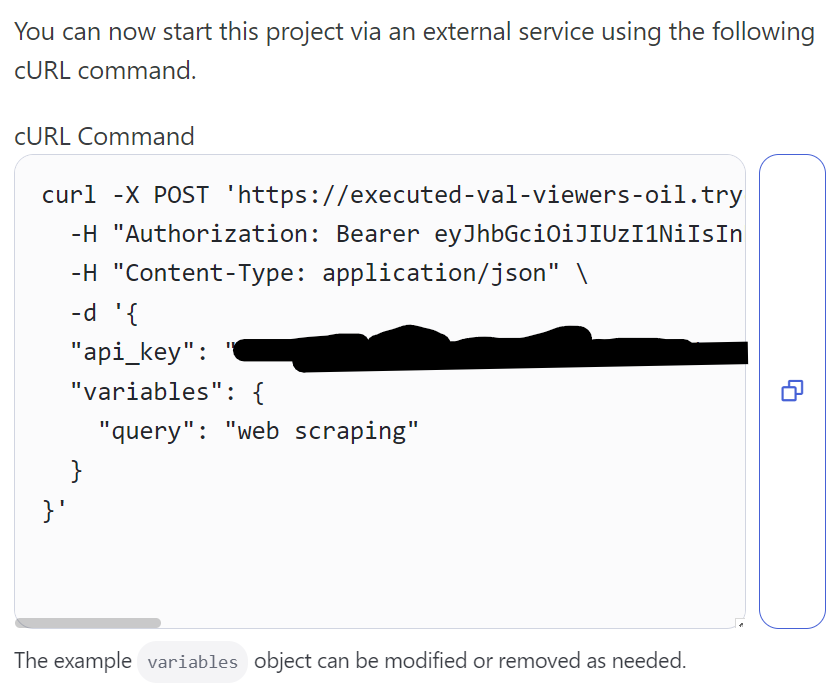
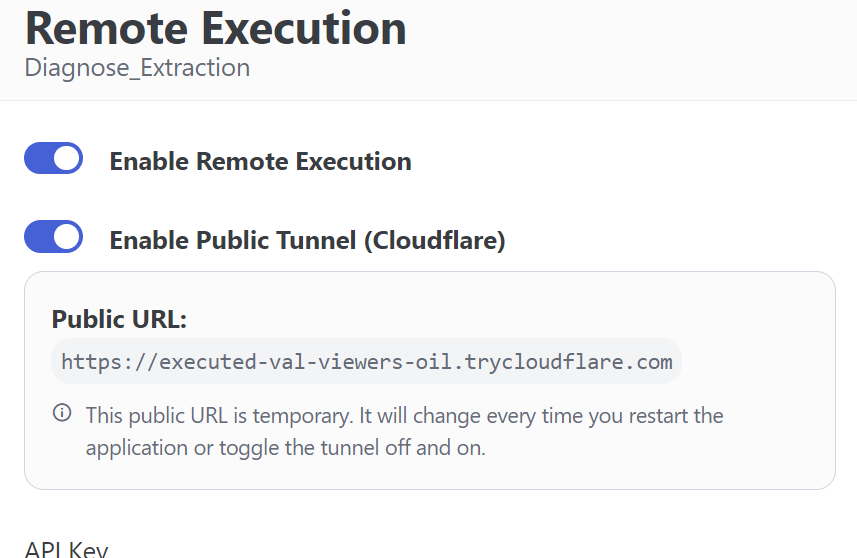
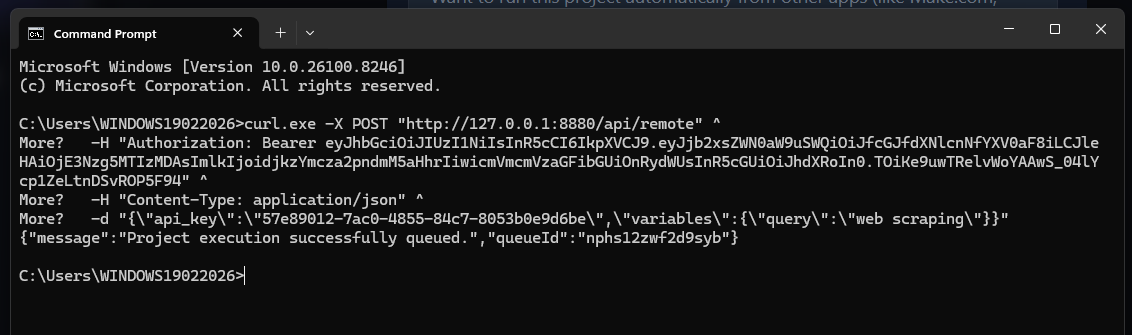
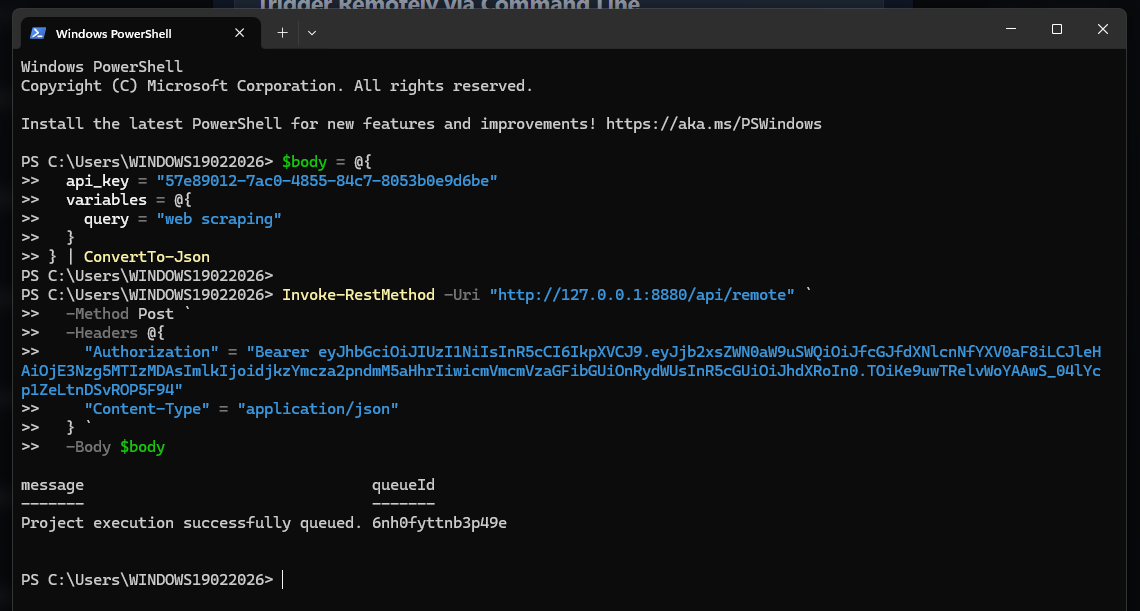
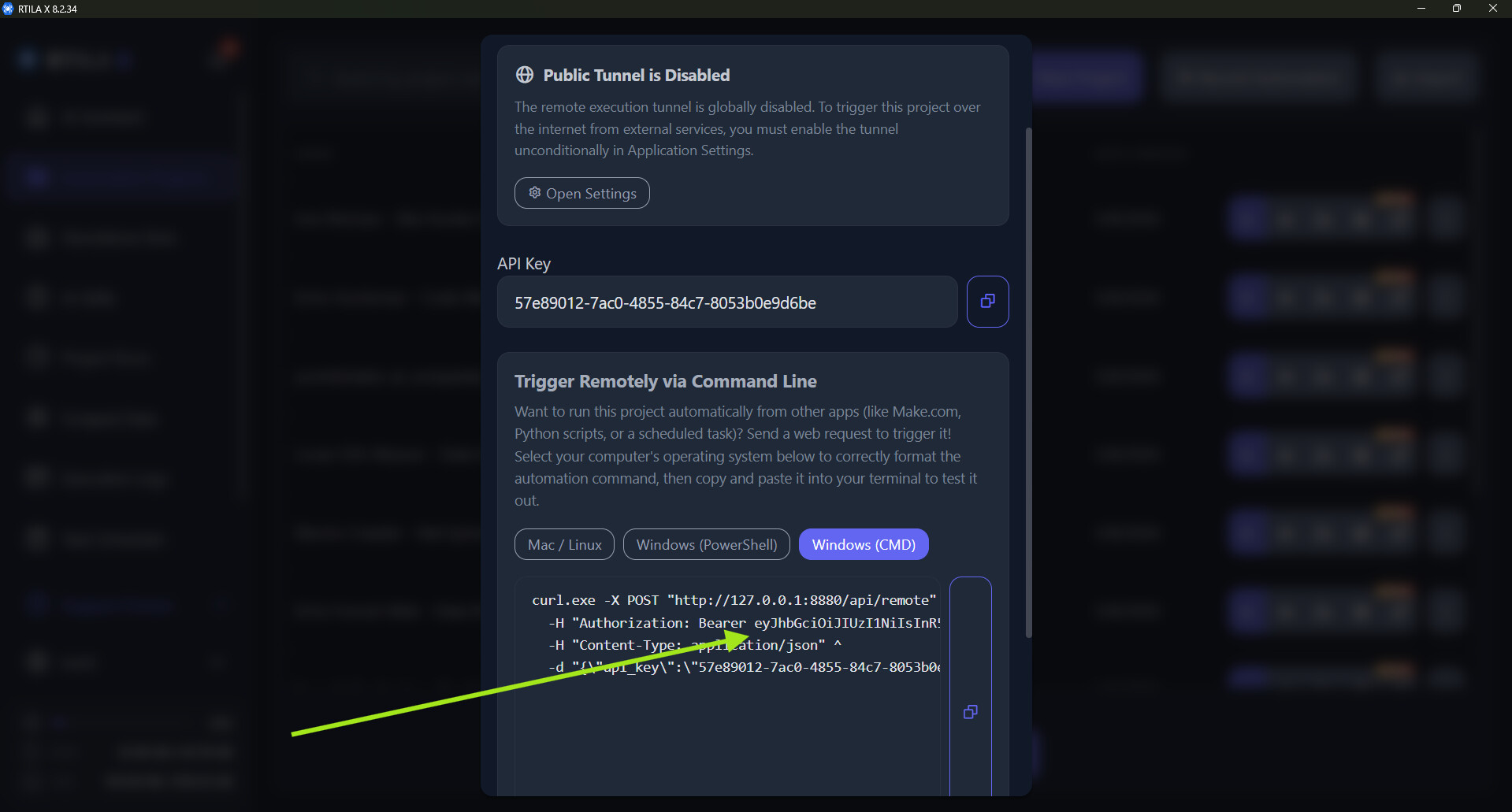
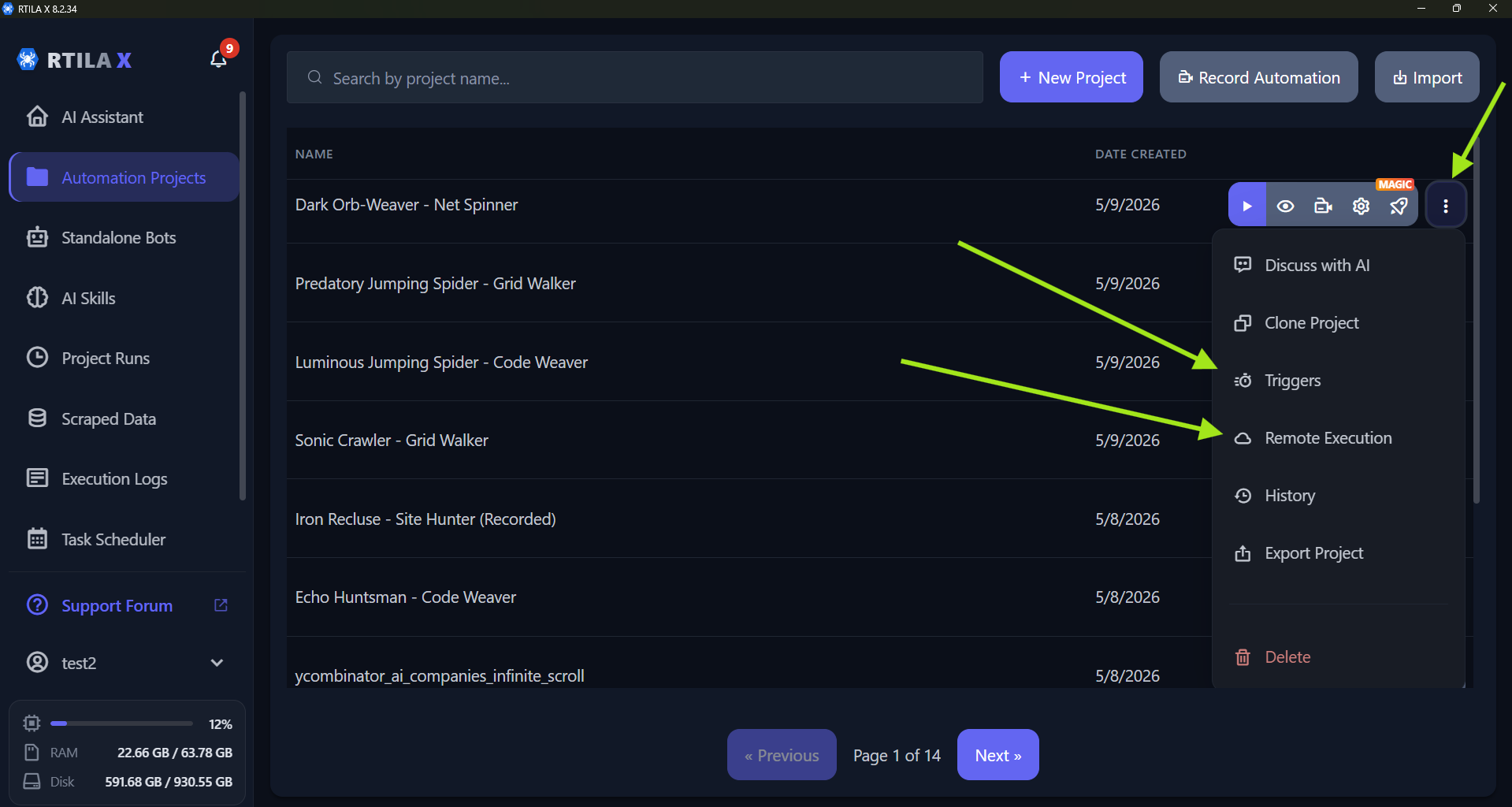
Hi, yes, RTILA X supports incoming webhooks, including support for variables. We call this feature ‘remote execution.’ I have attached screenshots for your reference. We also added built-in Cloudflare support, allowing you to trigger projects on your machine from anywhere without needing advanced networking, like opening ports on your router.
Please note that the generated public URL will change if you close and reopen RTILA. Because of this, it works best for short-running projects. For long-running projects, we recommend using a VPS and keeping RTILA X open so the generated URL remains persistent.
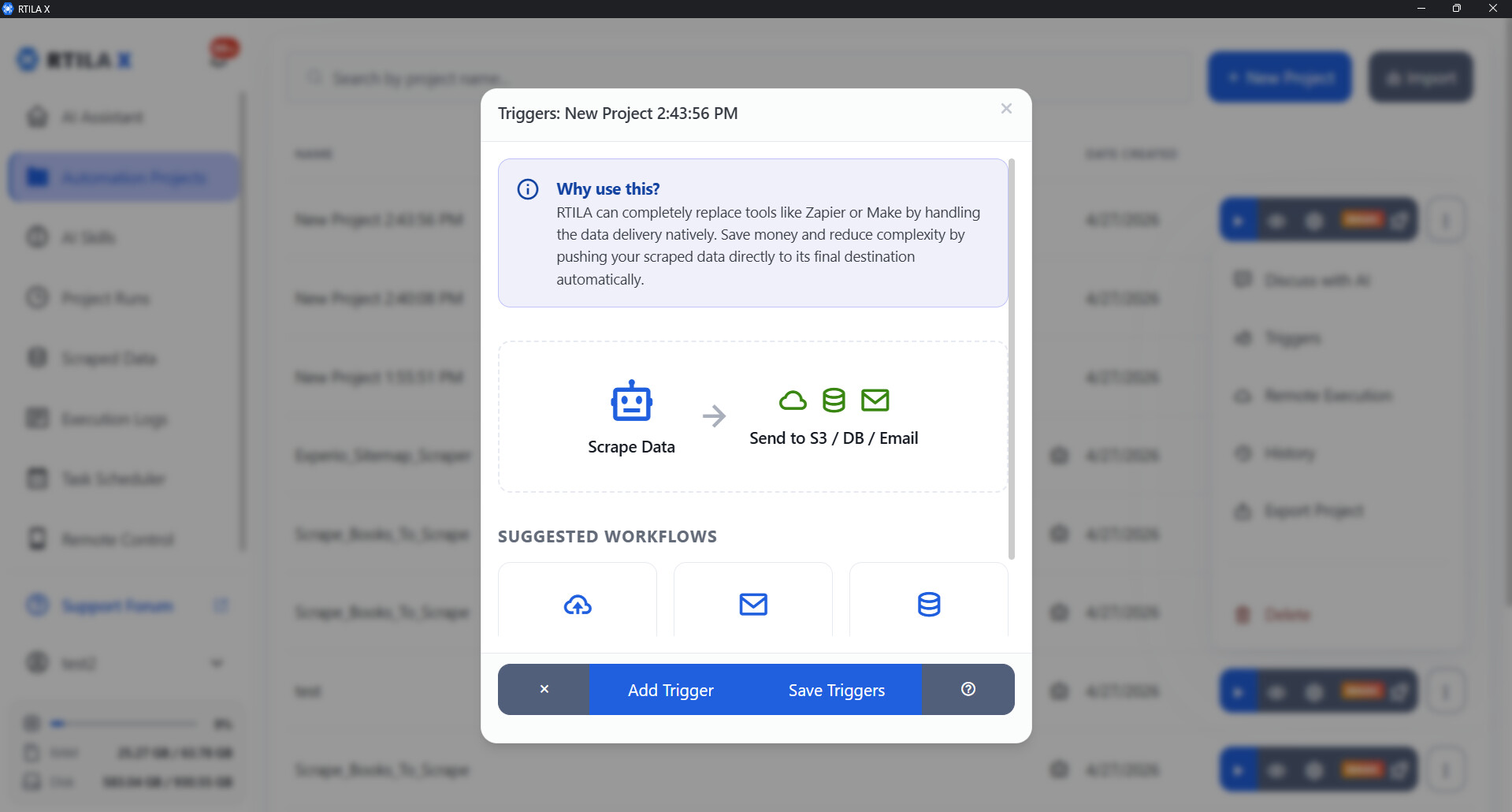
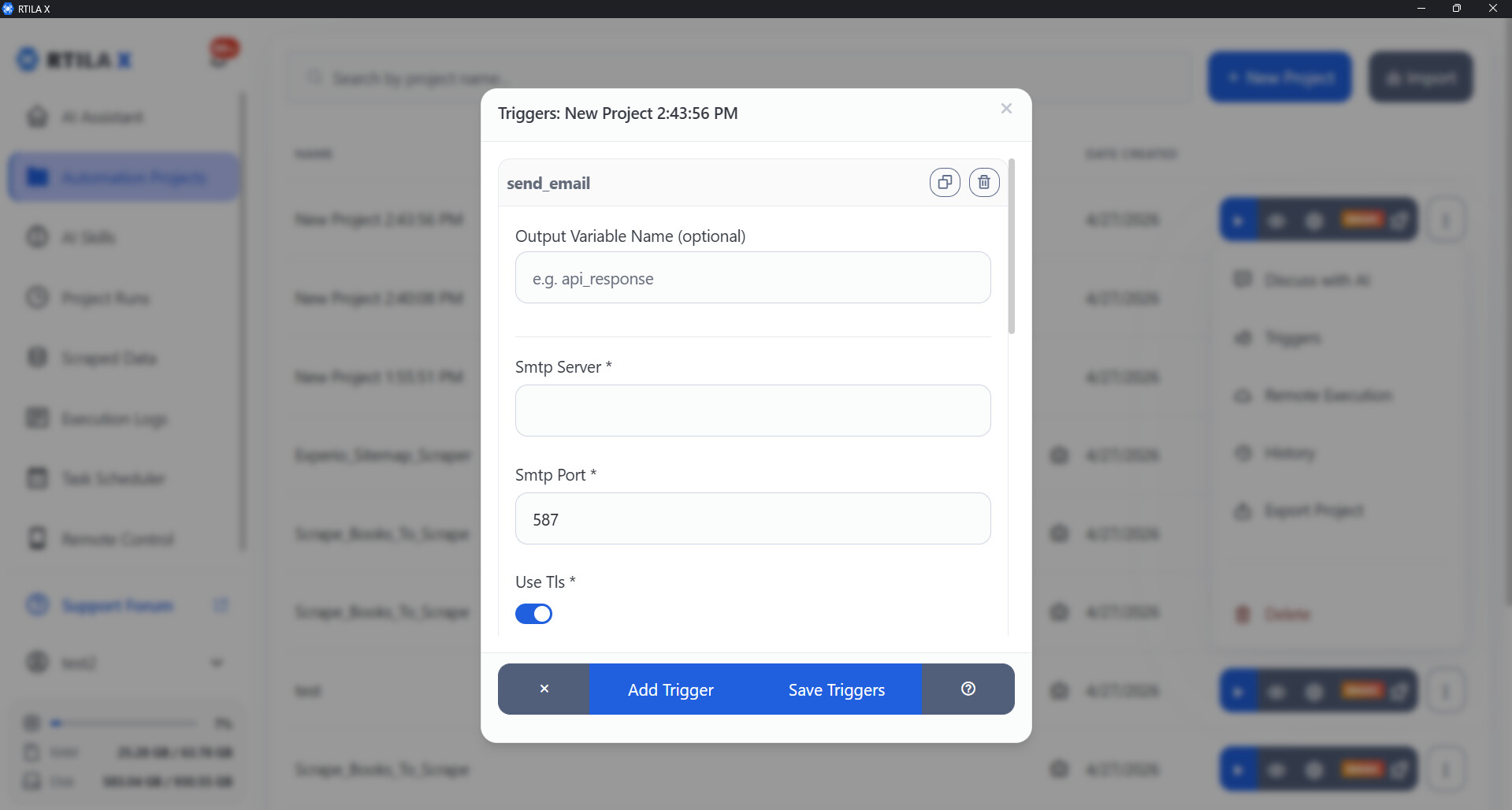
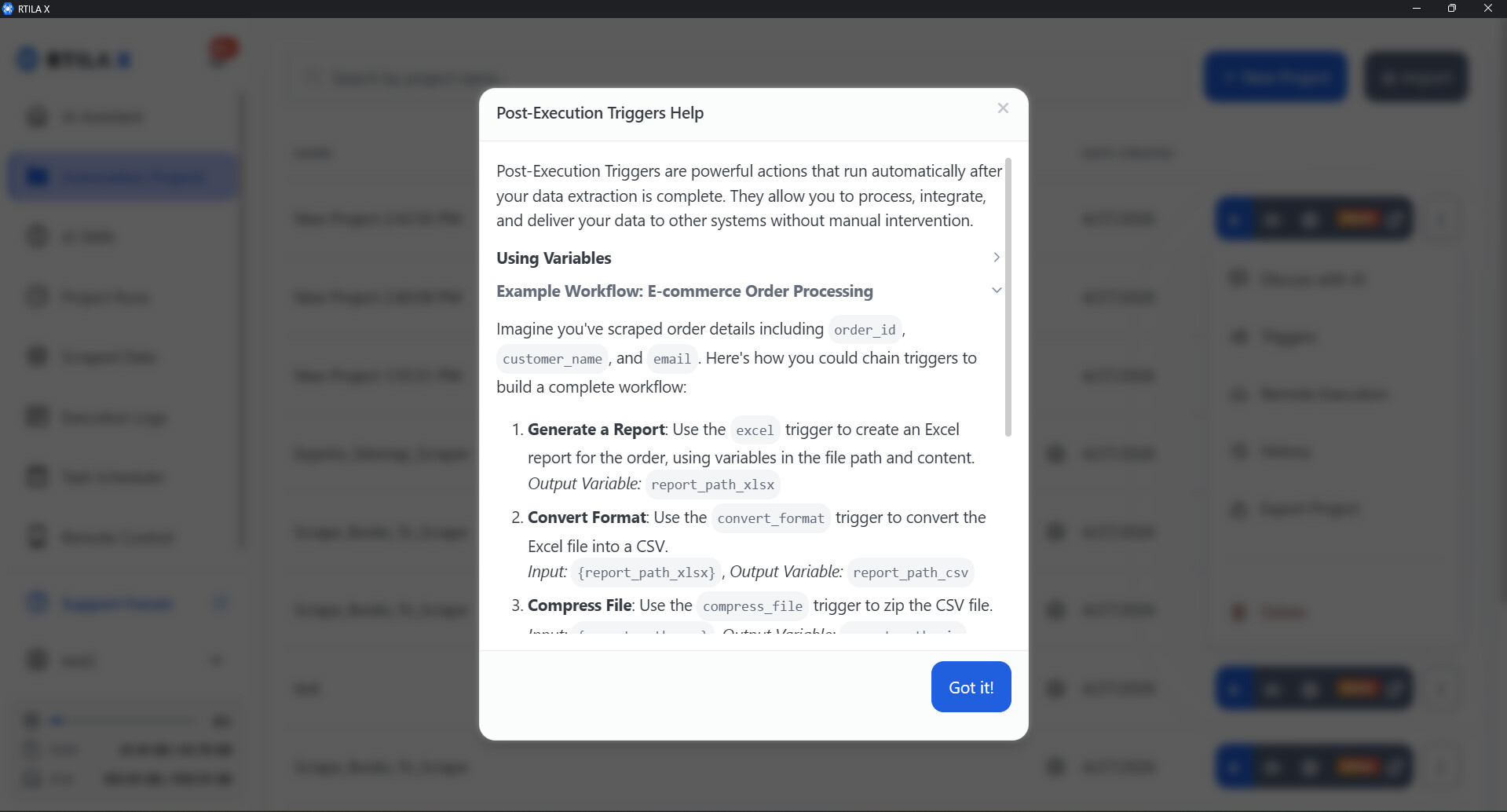
For actions like sending an email, you will need to use a post-execution trigger. Please check the attached screenshots and click on the help icon to get more technical details on how to set up a successful integration.
I attempted a few times already and had no luck… but I think I messed up by ignoring a pop-up from cloudflare something saying something about a warning about risk opening ports of something like that rather and I think I said cancel not thinking it might be related to RTILA. I keep trying to see if the pop-up comes back to take a screen shot of it but it has not happened yet and the webhook is not triggering or at least RTILA is not picking up the information sent from Automaticall app… do you know anything about this?
Can you send a screenshot of your terminal showing the exact command you used to trigger the URL, along with the response you got? Seeing both together will help figure out what’s blocking it.
sure, here it is, but here is some context. when i trigger a call on AUTOMAICALL that has RTILA webhooks, i will provide a snapshot of it as well, nothing happens with RTILA but when I press on the arrow to trigger the flow manuals is when I get errors. but here are some pictures of it and I hope it helps out.
If you’re using the Public Tunnel, simply replace the local URL http://127.0.0.1:8880/api/remote with your generated https://XXXXXX.trycloudflare.com domain. In that case, there’s no need to run the command from your local machine, you can trigger it from anywhere. For instance, you can test it by sending a request through https://reqbin.com/ and it will work the same way.
This curl command is just one example. The same URL can be used with n8n or any other automation workflow tool. You can also use it with RTILA triggers to build workflows where one project calls another, or even calls itself with different variables.
I seen your screenshots but I think I am doing exactly how you doing it. I make a test call to automaticall app but remote RTILA doesn’t trigger and see cCURL pick up the information or message from Automaticall app? I will do the test like you showed with window cmd to try it but even just using the cloudflare https:// it doesn’t trigger it like shown in screenshot from Automaticall app.
Yes, sorry about that. On Windows, if you’re using Windows Subsystem for Linux (WSL), you can just copy and paste the provided cURL command, like this:
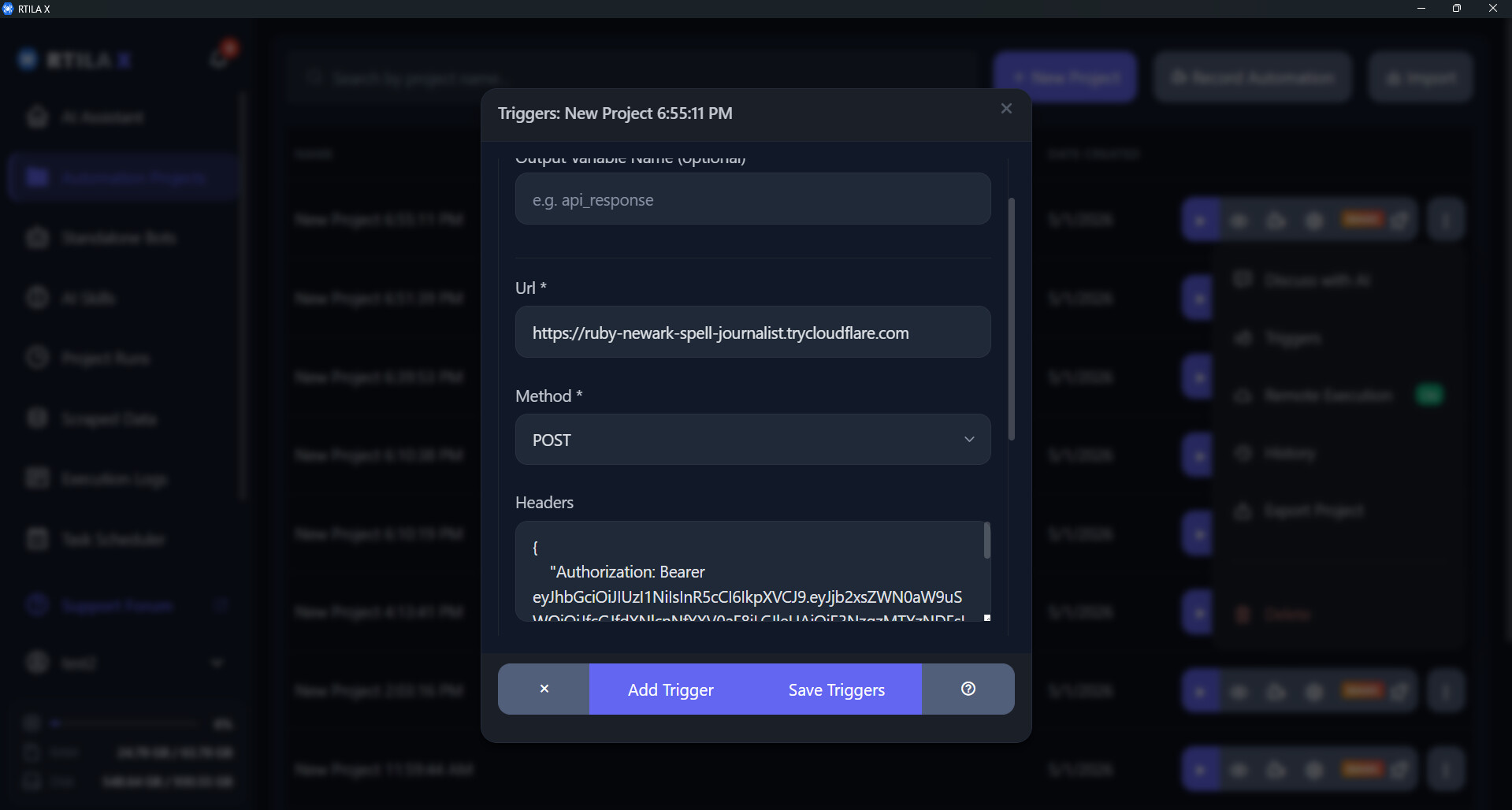
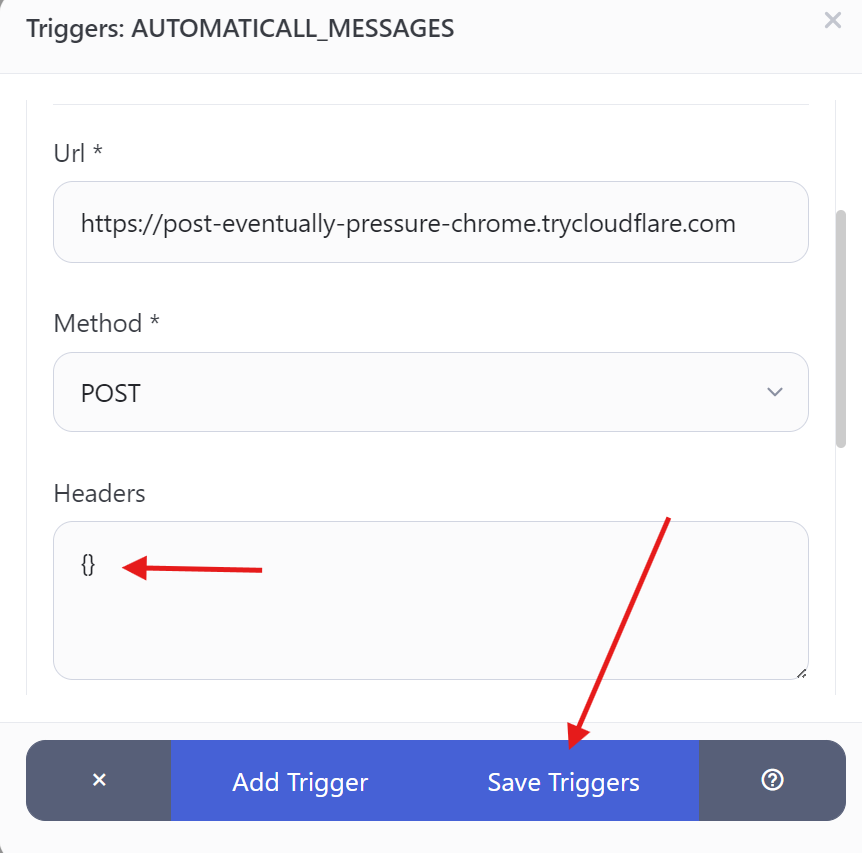
@CommunityManager – I gave it a go, but evertime I make the changes, which I have to create a triger and not use remote because I was not able to change the cURL in there, the URL and method does save the cURL code added in headers looks like it gets saved when I click on the save button, but when I return to it the header section clears just like you see below. everything else the URL and Method does save except for the header code that I add. by they way, when I ran the code in windows cmd it does work like you stated on your above post.
Sorry for the delay, we’ve been working on pushing new fixes and adding support for Mac and Linux.
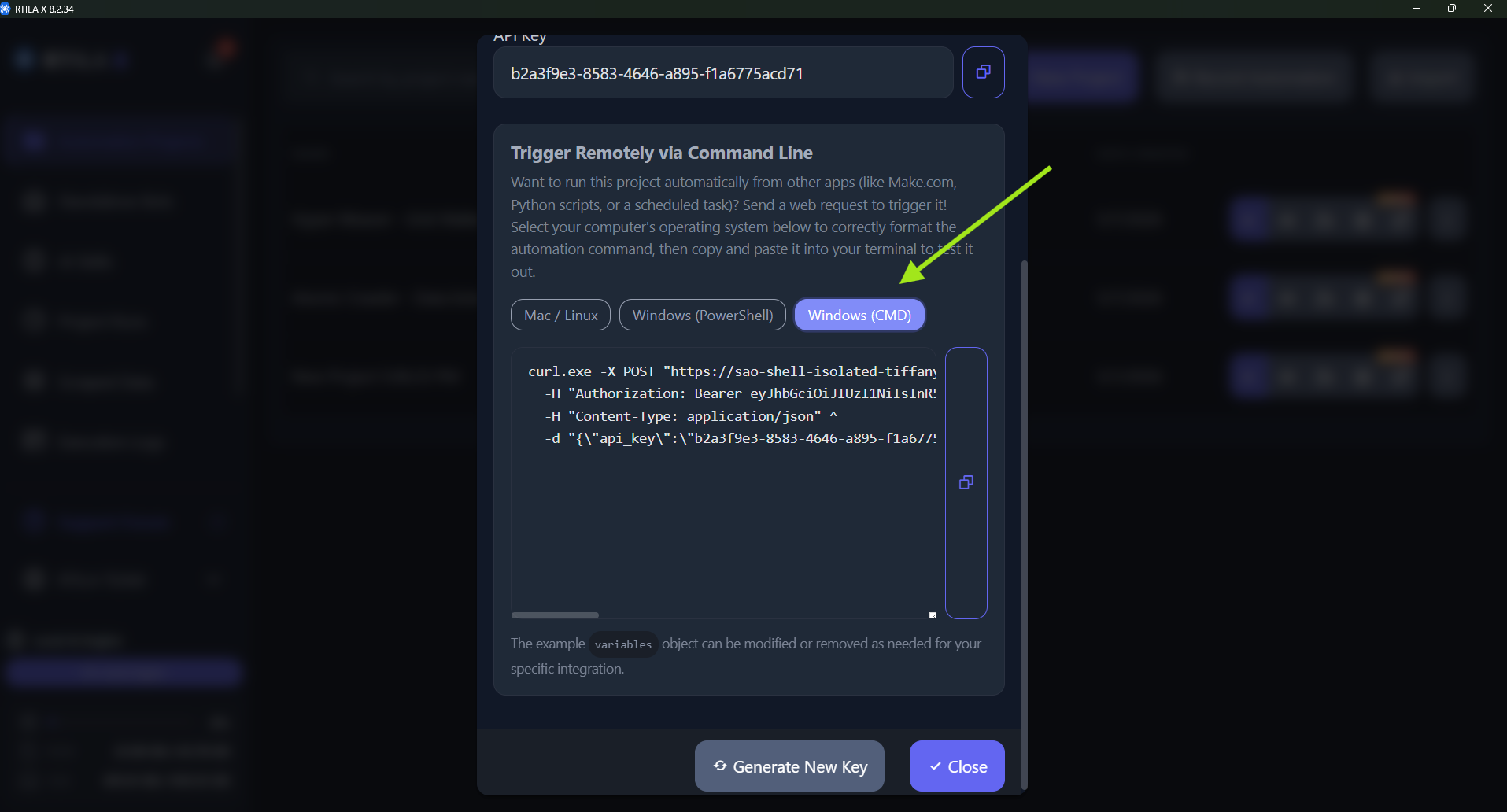
Please note that we’ve improved the cURL command visualization to support Windows (both CMD and PowerShell).
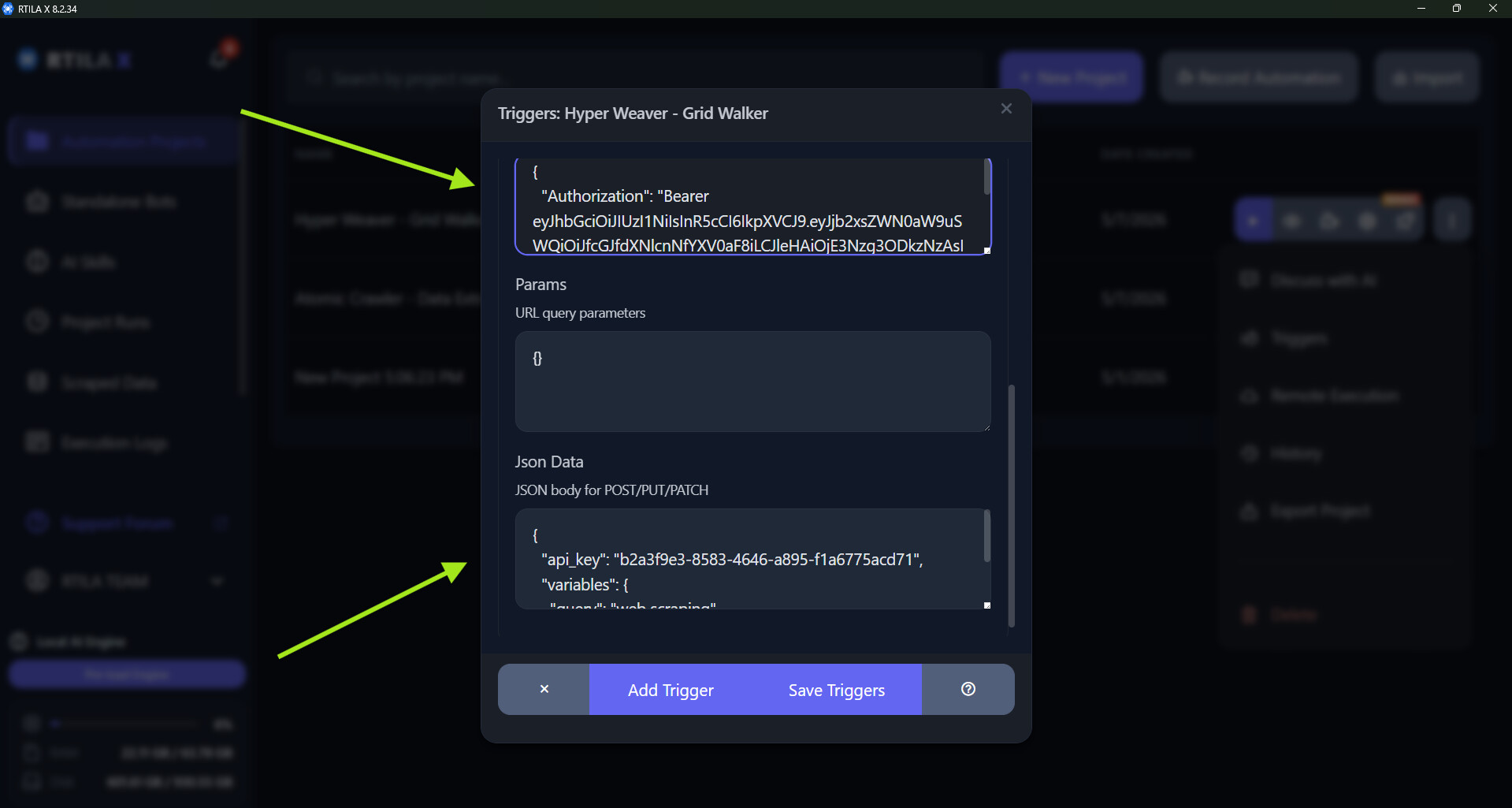
We also confirmed the reported issue with saving JSON in triggers. The validation was too strict, so we’ve relaxed it. You can see screenshots of both fixes below.
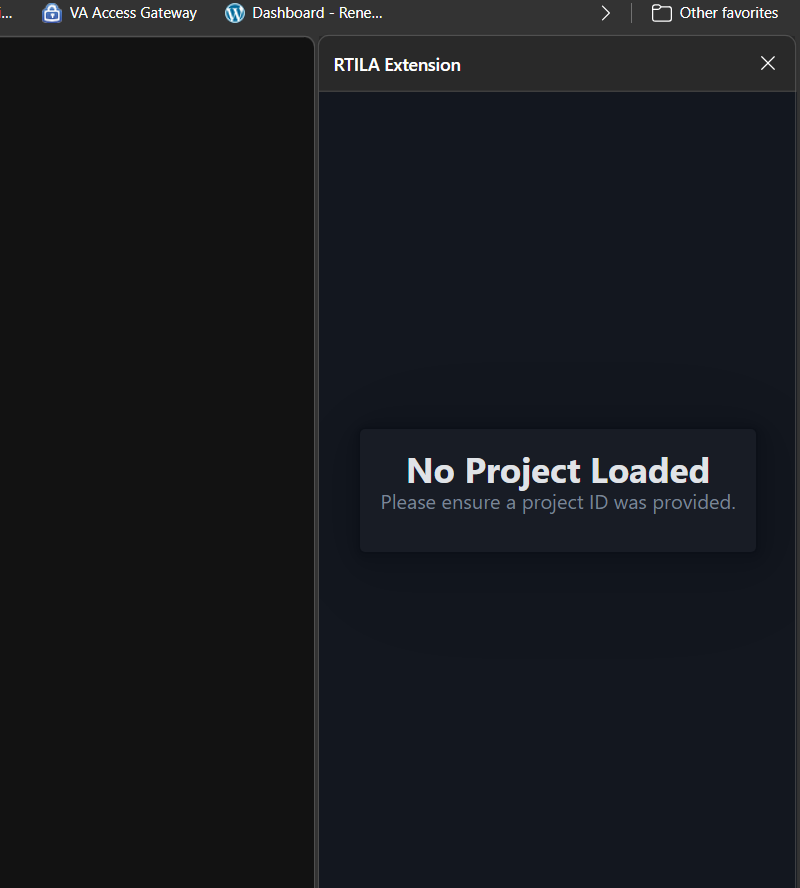
Regarding your last screenshot showing the extension, could you share more details? I noticed some bookmarks. Were those created inside the spawned browser instance, or in your regular browser?
I need to see the whole picture… like where are you in this picture? is this still in remote? remember I am a nub and showing me pictures doesn’t show me where/how you got there unless you show me how you got there…
If you still have trouble following these steps, please let me know, and I can create a video tutorial for you. Alternatively, you can describe exactly what you want to achieve, and I will record a step-by-step walkthrough.
sorry, let me clarify, running the code on CMD like shown on your screenshots does work in window CMD, but it does not work when I add webhook URL to automaticall, it does not trigger RTILA with the POST data and RTILA does not receive the pay load. in other words, it does nothing.
Thank you for the clarification. I have created a video below to demonstrate exactly how to configure Remote Execution with Triggers. For this example, I set up two new projects: one that opens google.com and another for yahoo.com. I enabled remote execution on the Google project and added a trigger to the Yahoo project. In the video, you will see the second project open yahoo.com, which then triggers google.com to open.
what type of trigger did you select? when creating triggers you have serveral different options.
where did you get the Header & JSON code? or is that automatically populated when selecting that trigger. because when I select a trigger that code does not show up. even if I use RTILA AI to create the trigger it does not add any code to it.
The Http:// IP address, can I use the same one or do I need to find one for my computer and where can it find it?
I use the cloudflare webHook cURL and when placed in automaticall it is not work properly or as far as I can tell, it’s not sending the payload to RTILA. in your example, do you want me to use the http://127.0.0.1:8880 instead?
Public tunnel is disabled option, I do not have that option either
thank you for your help, patient, and information you are providing. I am a total nub here.
I read your documentation, but it really doesn’t tell you all the options these types of triggers can do and how to use them. it looks like you must have knowledge how to code and be the actual designer of RTILA to know how to use it.
It’s totally fine if you aren’t a coder! The main idea behind a tool like RTILA is to remove the need for coding or complicated configurations. Thank you for taking the time to experiment with it and for sharing your valuable feedback.
Please see my replies below, and don’t hesitate to reach out if you have further questions:
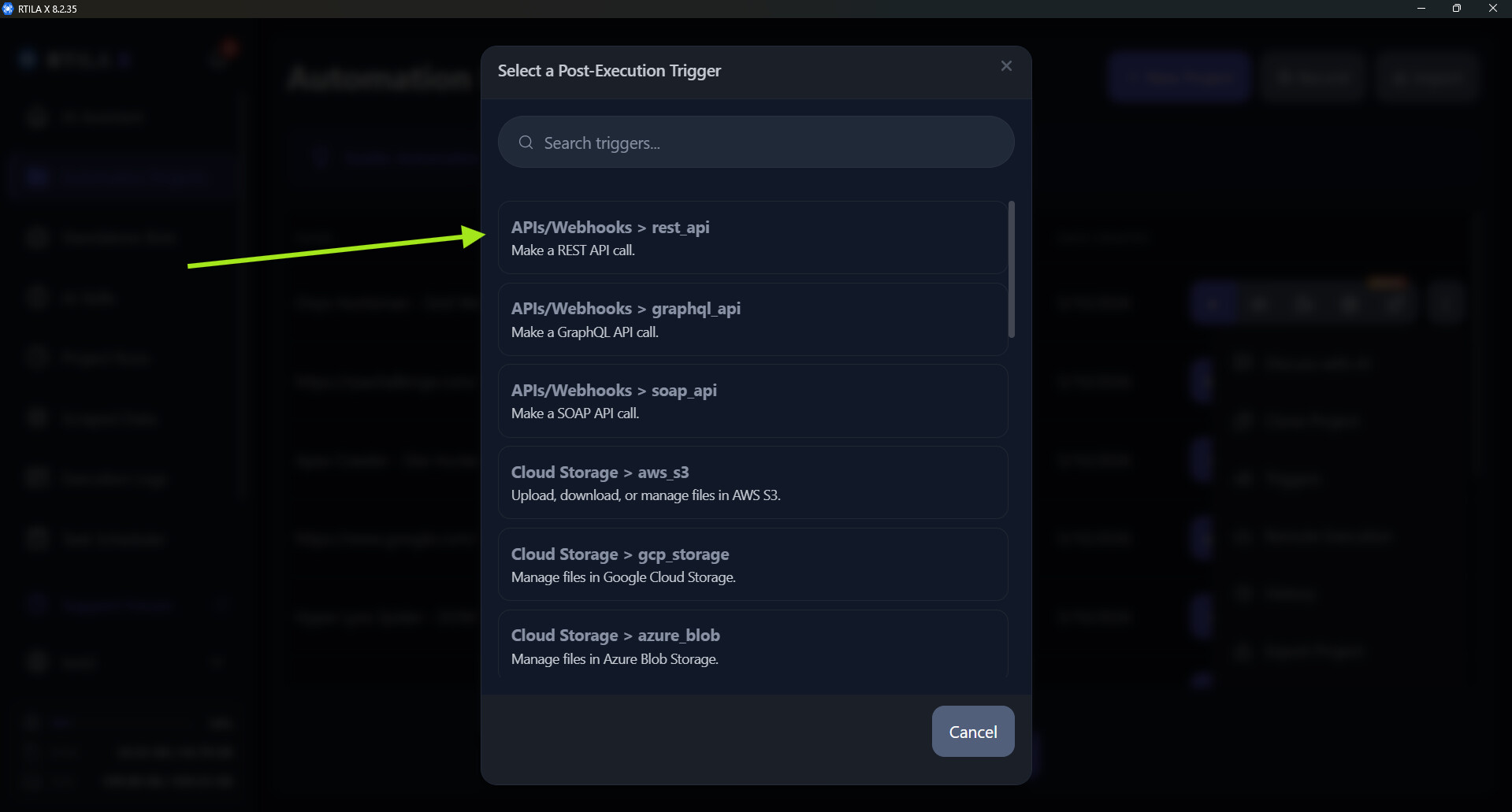
Trigger: The trigger used was APIs/Webhook rest_api (see screenshot below).
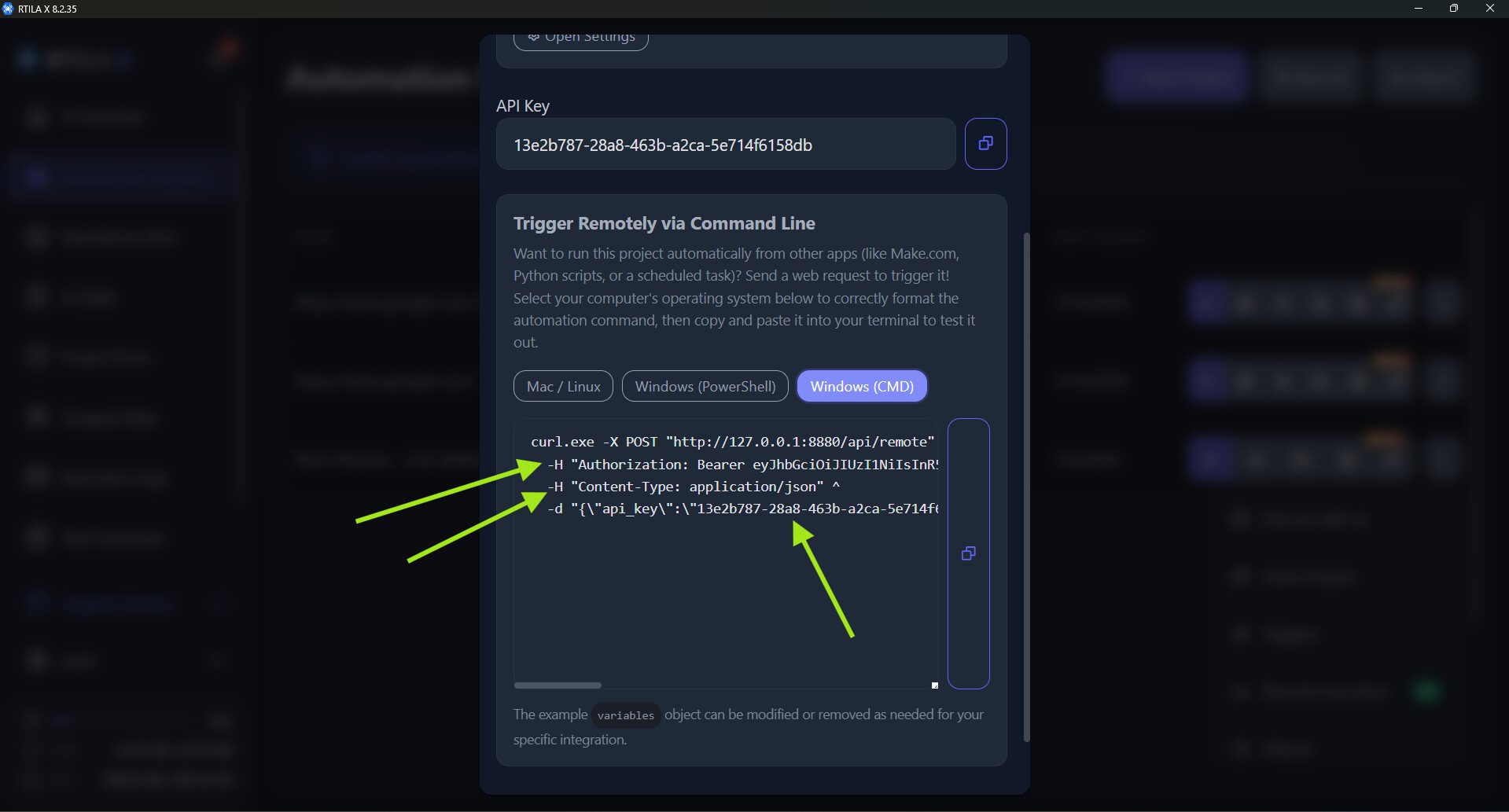
Headers & JSON Body: These are not specific to RTILA, this data format is commonly used with almost all HTTP requests. I simply copied the data from the remote execution popup and created the JSONs as shown below:
Local Requests: The address http://127.0.0.1:8880 is the default local address for all machines.
Cloudflare URLs: The generated Cloudflare URL works just like the local one, just wait 1–5 minutes for it to initialize. The difference is that you can copy and paste a cURL command using this URL on a different machine even if it’s not on the same network and it will work.
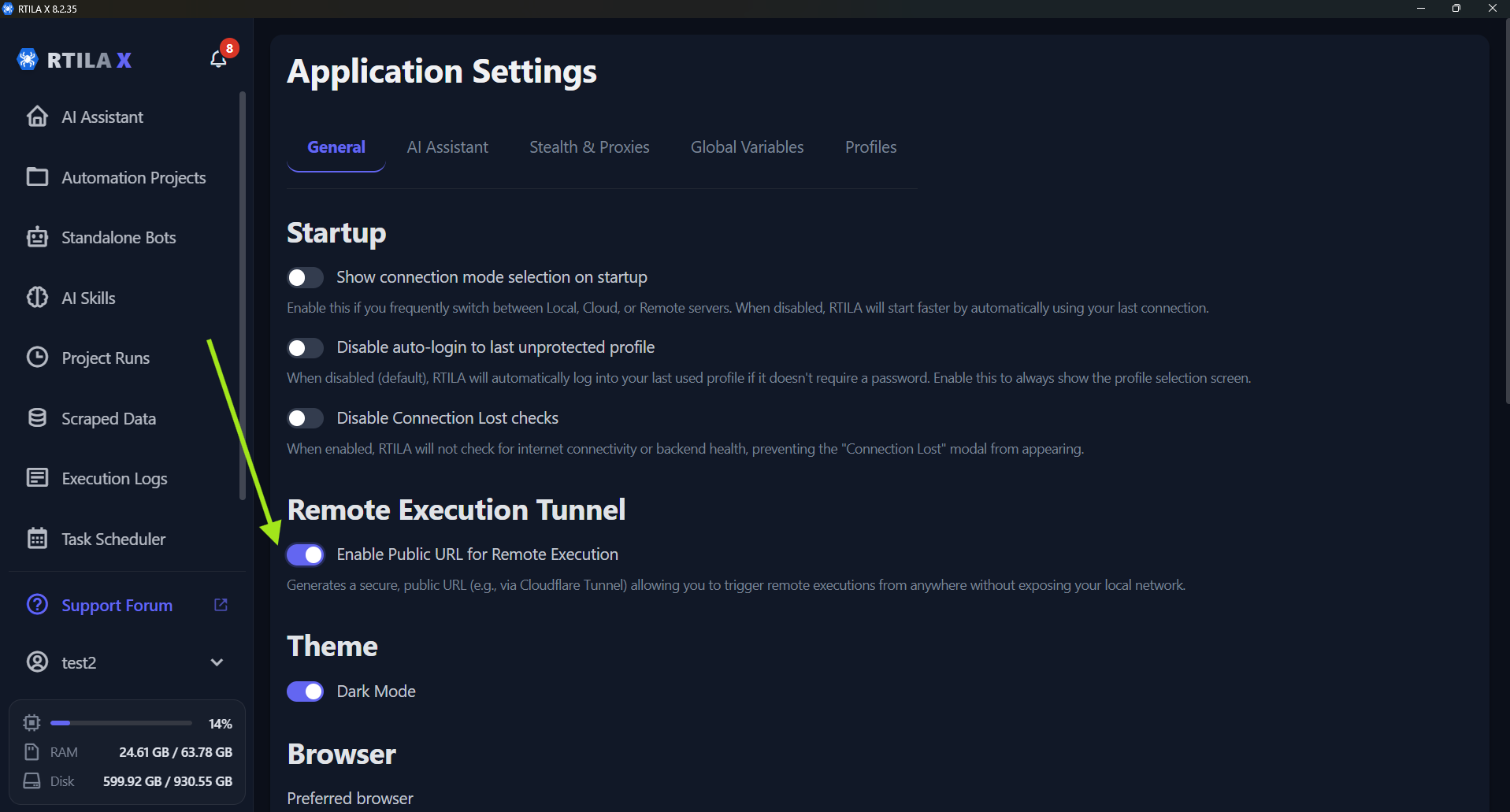
New Toggle: Since not all users need this enabled by default, we added an option to enable the Public URL manually rather than starting it automatically. Please check the screenshot below to find this setting.