We’ve just pushed an update to RTILA X available here: https://github.com/rtila-corporation/rtila-releases/releases/latest/download/RTILA_Windows.exe that adds more flexibility for connecting to outside AI services.
Here is what is included in the new update:
1. Custom AI Providers
We’ve also added the ability to connect RTILA X to any custom OpenAI-compatible provider (such as a remote Ollama setup, GLM, Minimax, etc.).
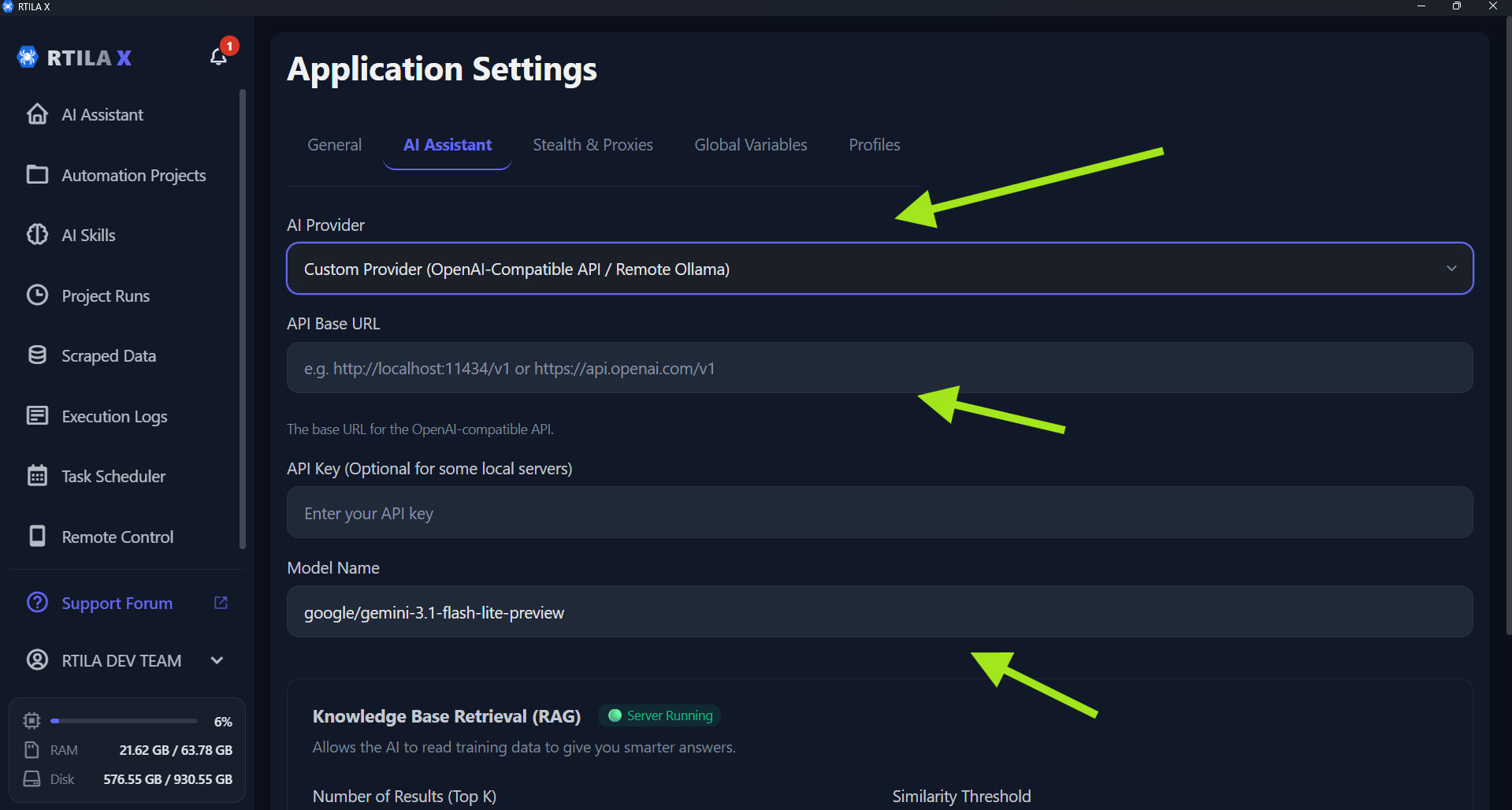
In the Assistant Tab, you can now select a “Custom Provider” option. From there, just enter your Custom Base URL, Model Name, and API Key (the API Key is optional, as setups like local Ollama often don’t need one). (See attached Image 1)
2. Fix for Model Crashing (GPU Layers Control)
If you were experiencing errors or crashes when loading local AI models (due to graphics card memory limits), you can now manually adjust how much of the model goes to your GPU.
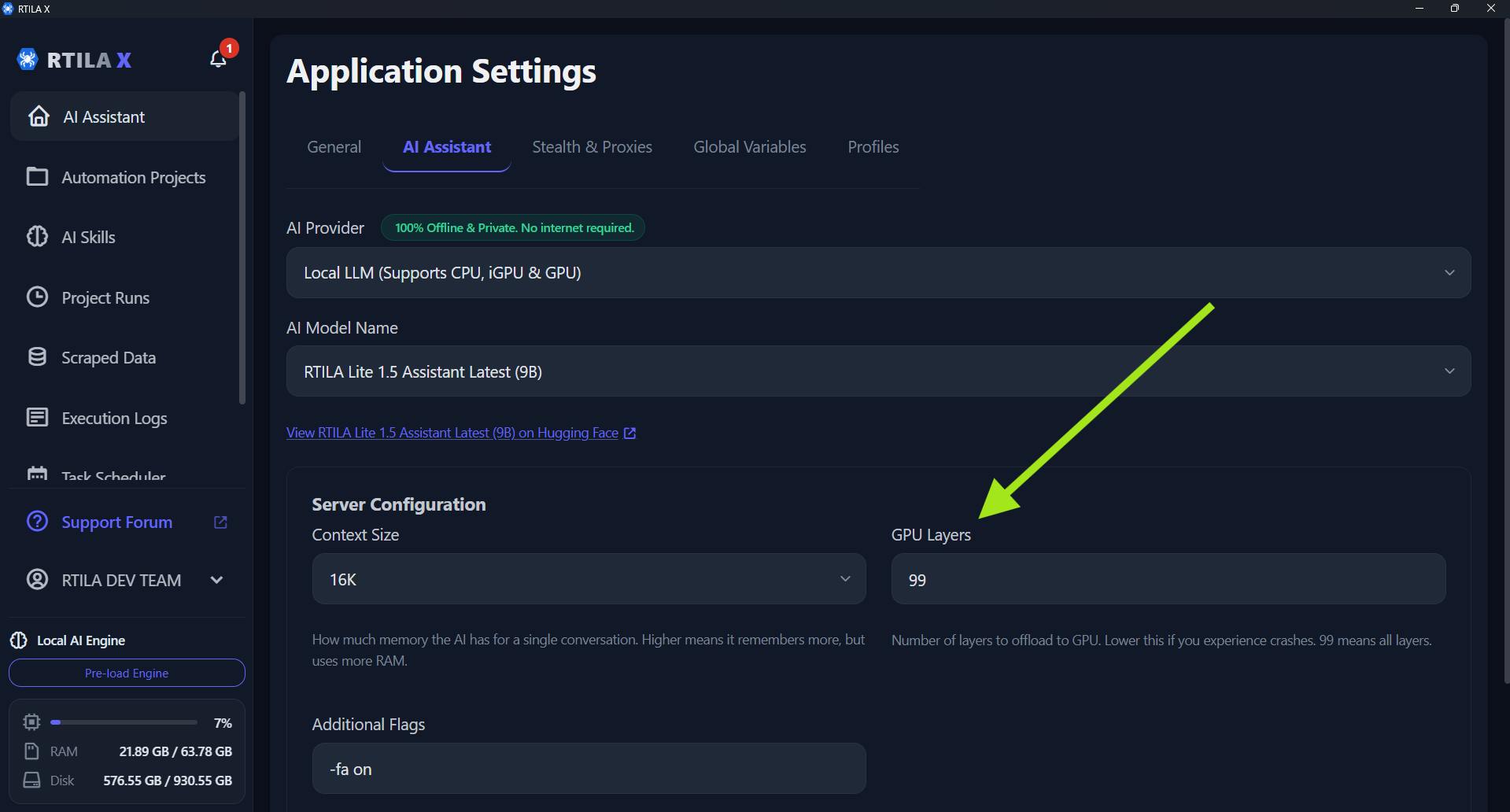
How to fix the crash: Go to Preferences > Assistant Tab. You will see a new GPU Layers setting (which defaults to 99). If a model is crashing your system, simply lower this number (try starting around 20 or 30). This safely shifts some of the workload off your graphics card and onto your computer’s regular RAM so it can load successfully. (See attached Image 2)