Datasets name can’t be manually changed in the last version (only by using AI).
Yes, we had to add this limitation because we use those names to create dynamic database tables. In RTILA X, scraped data are not saved in the same table, instead they goes into individual dynamic tables. This allows the system to handle a large number of records without losing performance.
Please let me know if you are interested in the database design as I can share some advanced tips on how to view those tables directly on your machine.
1 Like
Yes, of course, that can always be very useful.
Hi Alexandre-Kamel,
Sorry for the delay. Here is how you can directly access the Pocketbase instance used by RTILA X for a fully local experience.
The admin password is located in the following directory:
-
Windows: %USERPROFILE%\.rtila-x\database\.db_key -
Mac: ~/.rtila-x/database/.db_key
(See the screenshots below for reference)
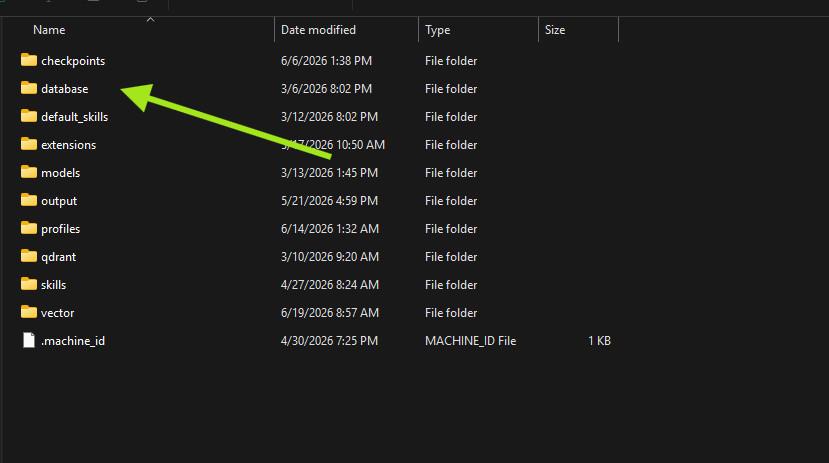
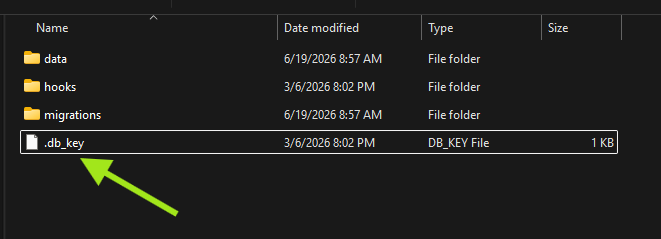
Once you have retrieved the password, make sure RTILA is running, and open http://127.0.0.1:8880/_/ in your browser. Log in using these credentials:
-
Email: admin@local.ltd -
Password: [The password copied from .db_key]
This will give you full access to the local database so you can see how we manage dynamic collections. Let me know if you have any questions!
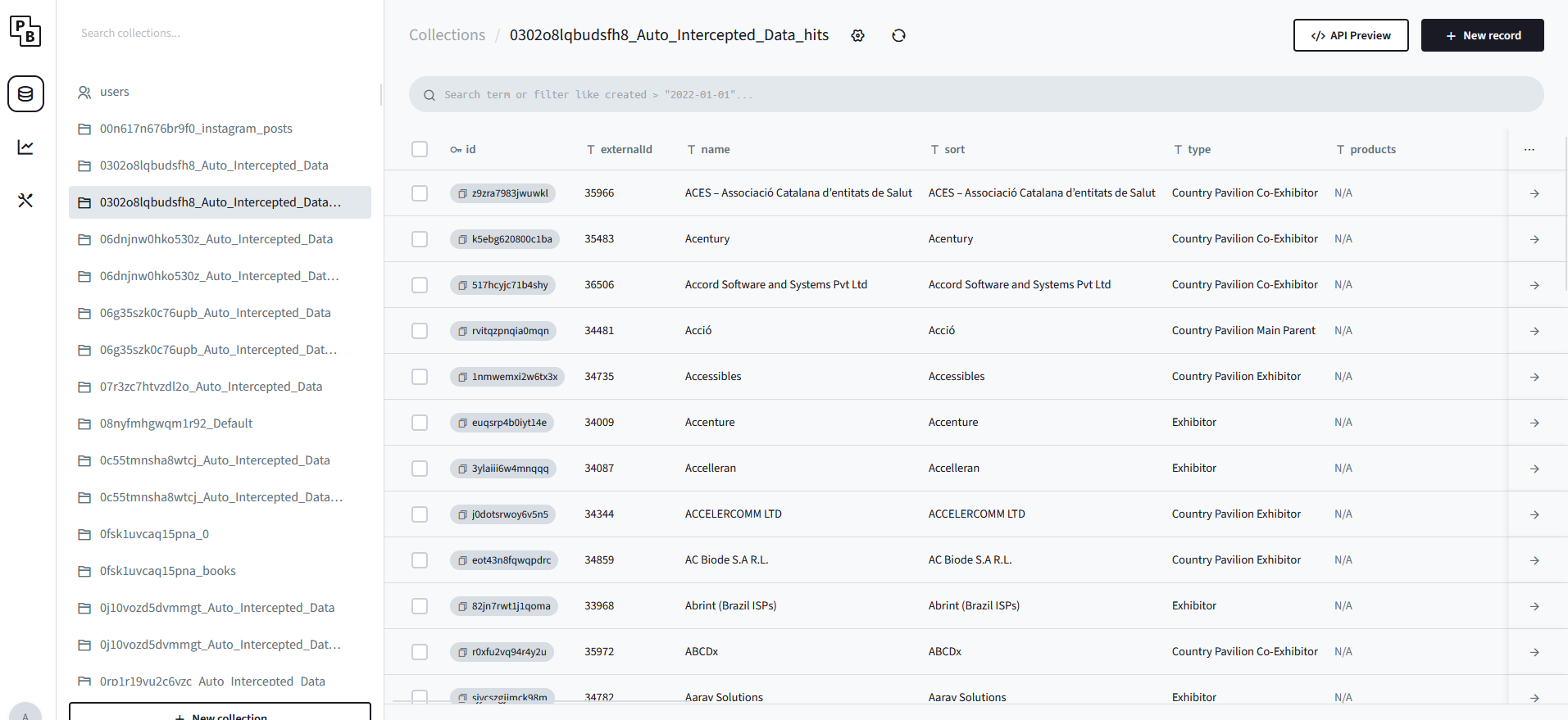
1 Like
Thank you ! great interface, it will be helpfull